
Docs
Docs
Prerequisites
You must have a valid ActiveCampaign account with appropriate access to your Contacts and Lists.
If you do not have an account, then you can create one at www.activecampaign.com.
Step 1:
Go to https://www.zerobounce.net/members/signin and sign in with your ZeroBounce account. After that go on the menu on left and click Integrations.
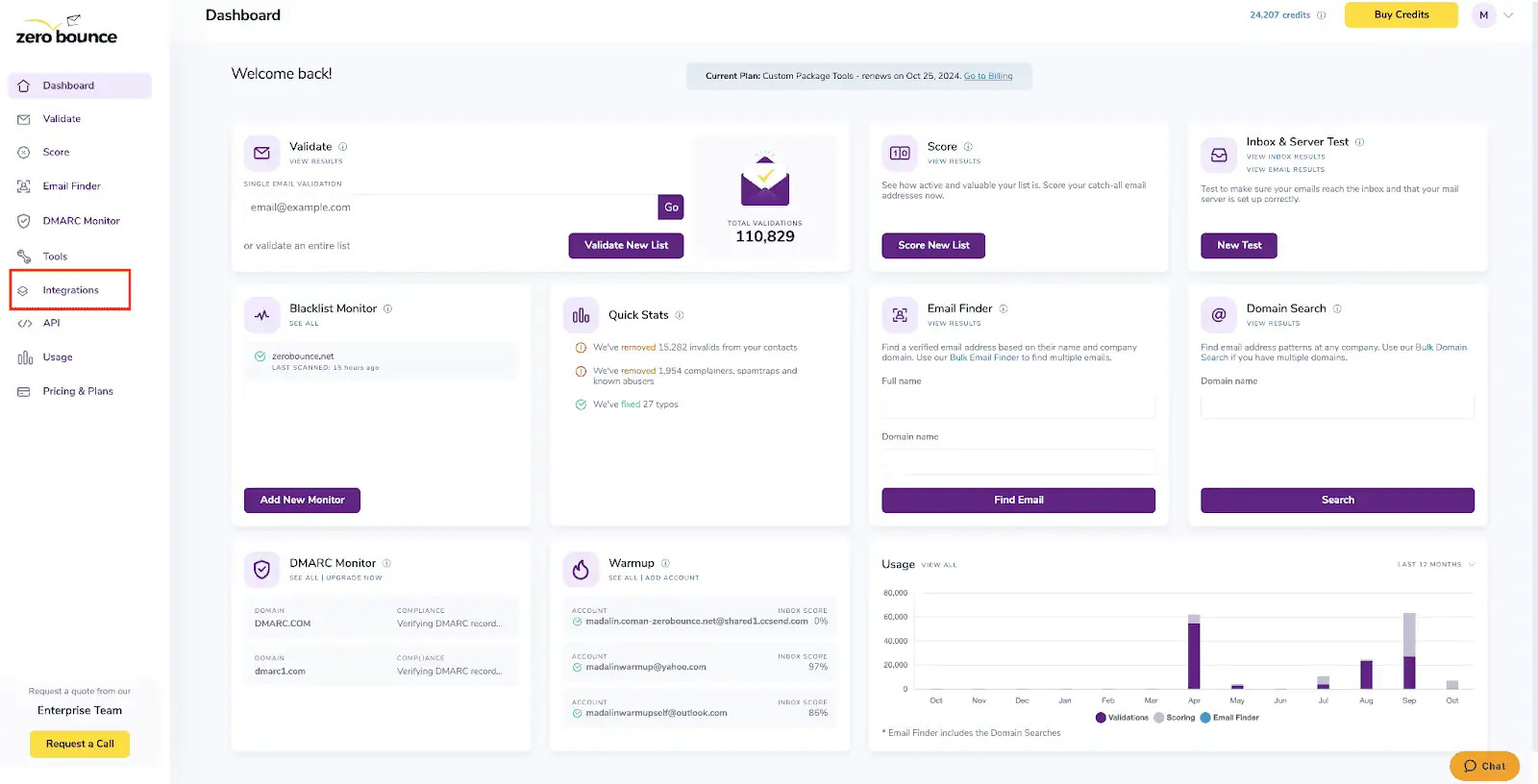
ZeroBounce Dashboard
Step 2:
On the Integrations page select ActiveCampaign from the Integration List.
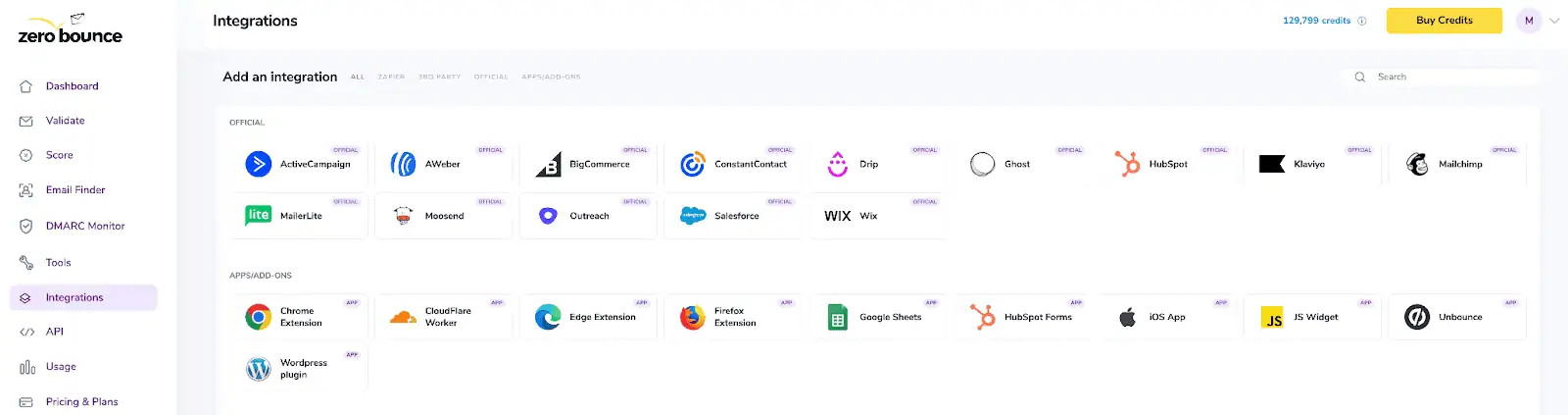
ZeroBounce Integrations Dashboard
Step 3:
You will be prompted to add the Active Campaign API Key and API URL.
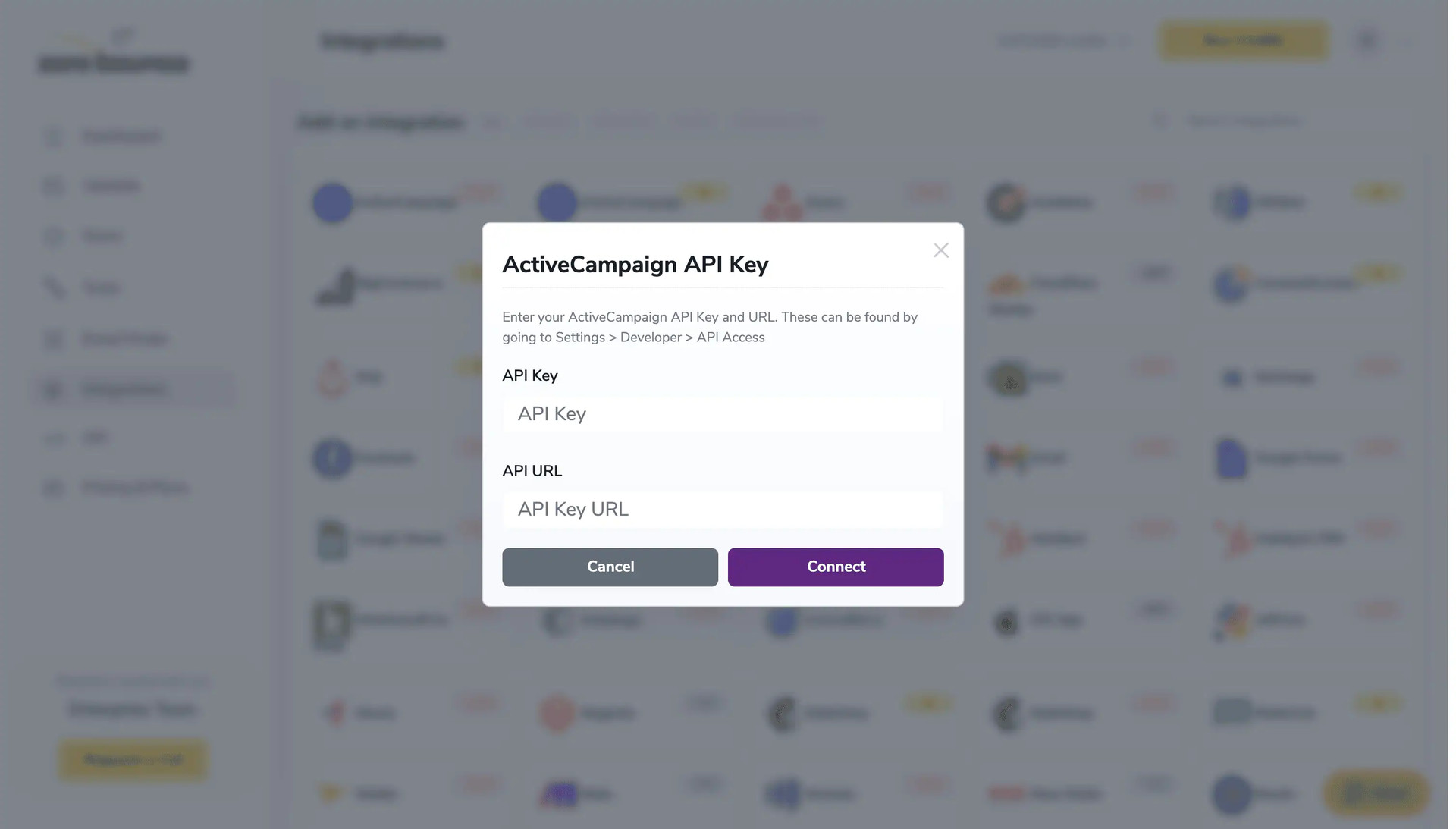
API Key pop-up modal
Step 4:
On the ActiveCampaign Sign In page you will enter your ActiveCampaign email address and password to login.
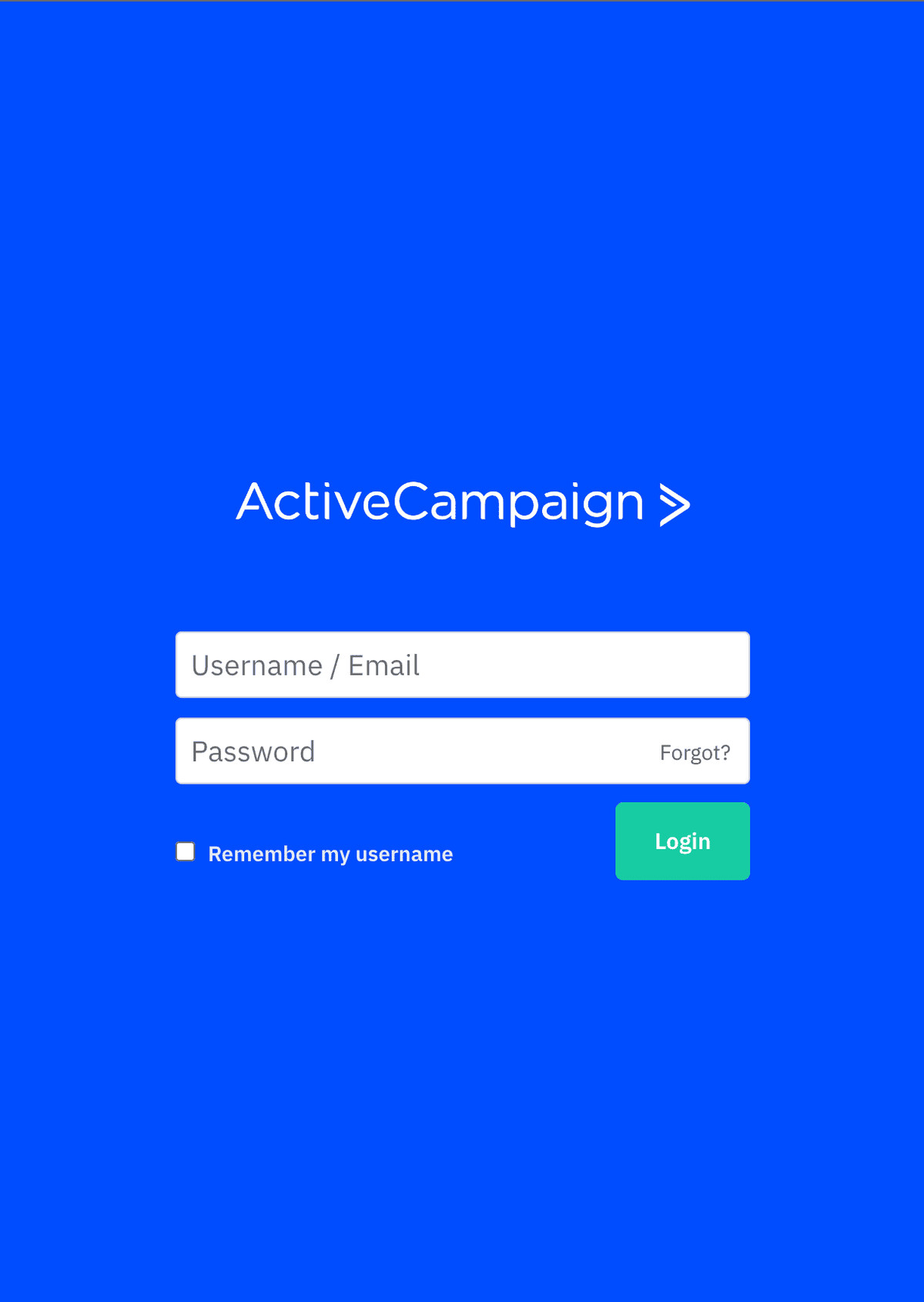
ActiveCampaign login page
Step 5:
Once you enter your username and password you will be prompted on the ActiveCampaign dashboard. Click on the Settings button in the left menu.
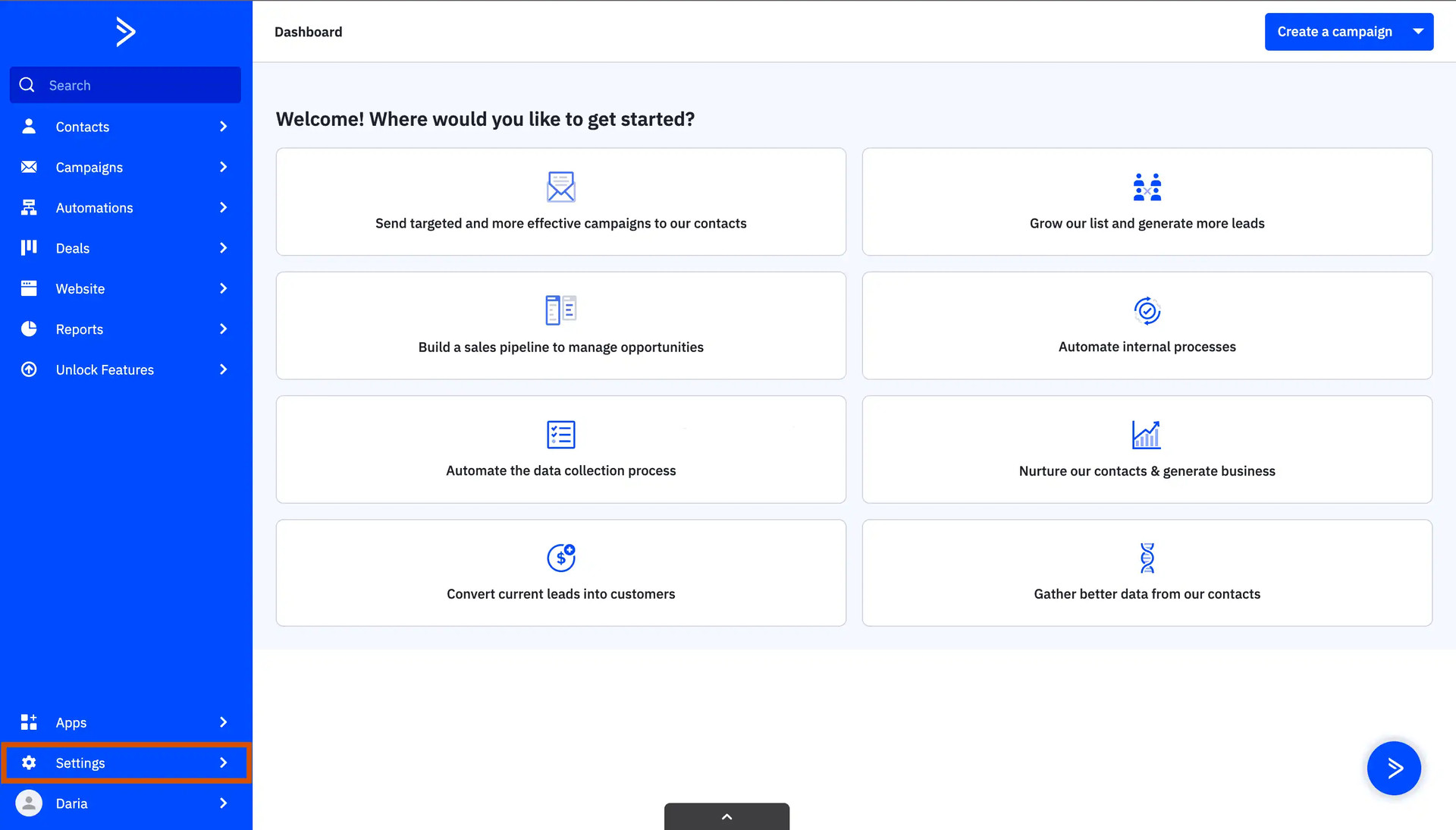
ActiveCampaign Dashboard
Step 6:
After that, click on Developer in the Settings menu. Find your API URL and API Key.
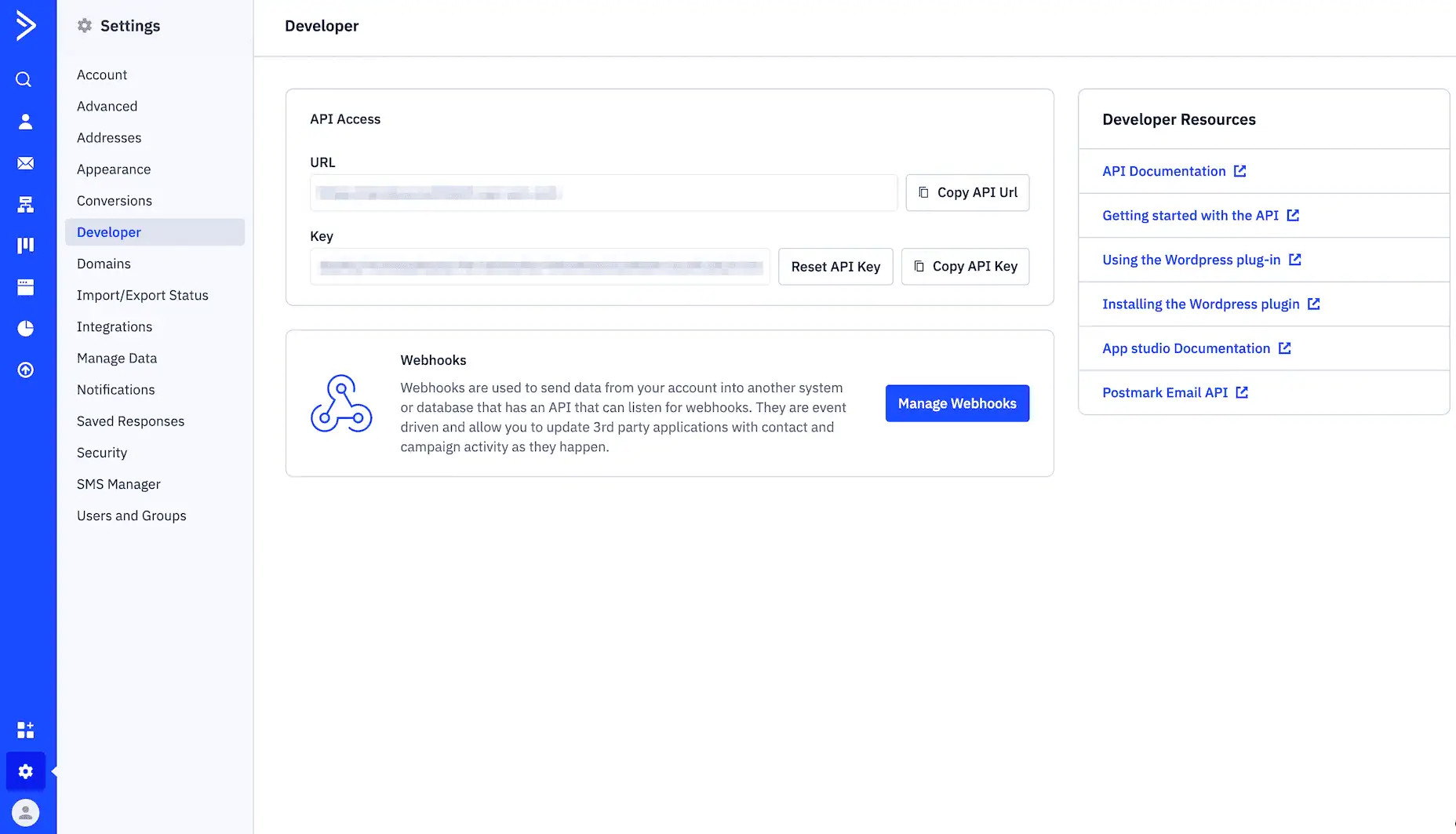
Choose the account you wish to authorize
Step 7:
In order to validate a list you first have to select it from the list and then press the Validate button.
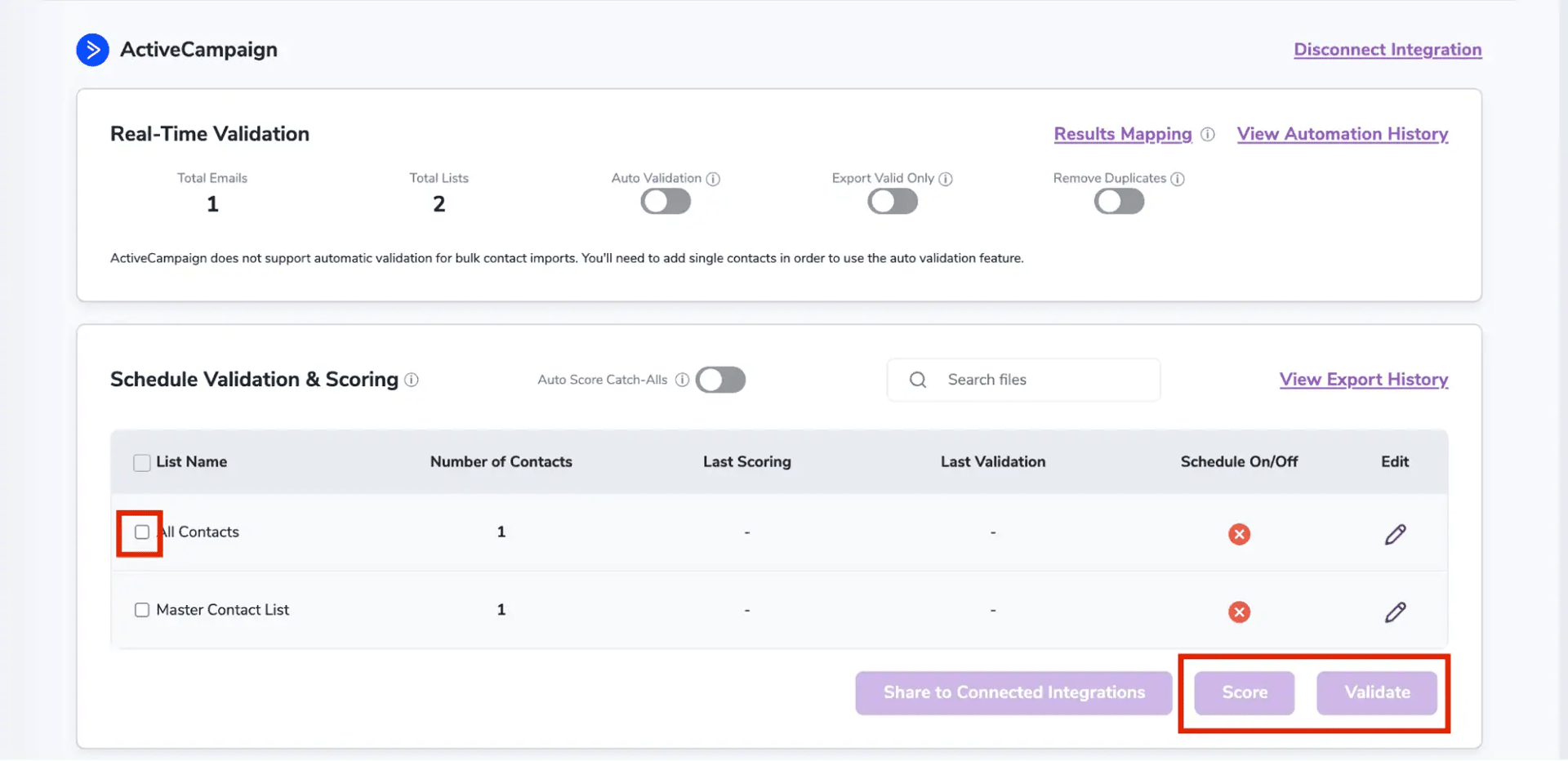
After successful integration, you will be able to view your lists in your ZeroBounce Dashboard.
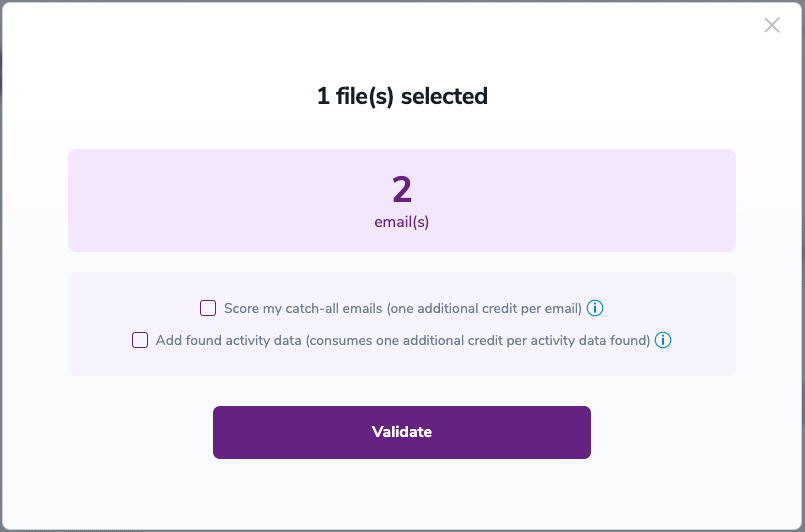
Validation Pop-up
On validate you will be presented with a popup with two options that can assist your validation process:
Step 8:
You will be taken to the Email Validation Results page which will show in queue the list you selected.
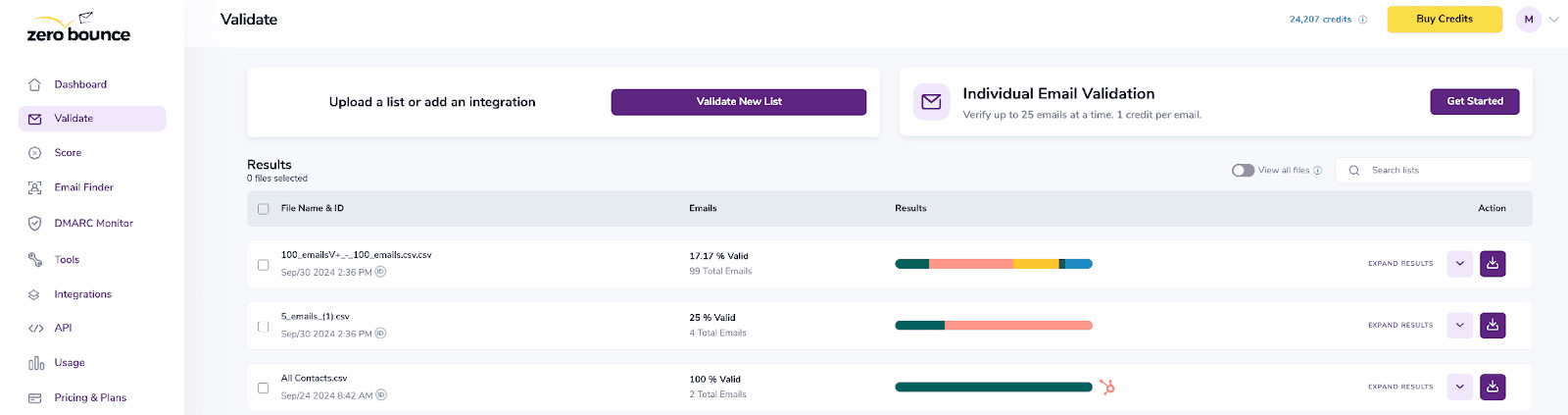
Email Validation results page
Step 9:
Once your list has completed processing you should receive an email notification and you will see that the Download button will appear.
Note: The results of the validation and scoring are automatically exported to the integration they originated from.

Status: Completed
Step 10:
When you export your contacts, you'll find the following tags included in the exported file:
The following tags will be automatically created in your integration with the first automatically validation/scoring results export
These tags are essential for maintaining up-to-date and accurate contact information, allowing for better management and engagement with your contacts.
With this feature, you’re able to validate any new contact added to your integration automatically. To do so, you must establish an integration with one of the compatible platforms. After doing this, select Integrations from the menu and select your integration. Once you’re there, go to the Real-Time Validation section, where you can toggle auto-validation ON.
With auto-validation enabled, ZeroBounce will validate your new contacts automatically once added to your integration, ensuring they are valid and deliverable.
ActiveCampaign does not support automatic validation for bulk contact imports. You'll need to add single contacts in order to use the auto validation feature.
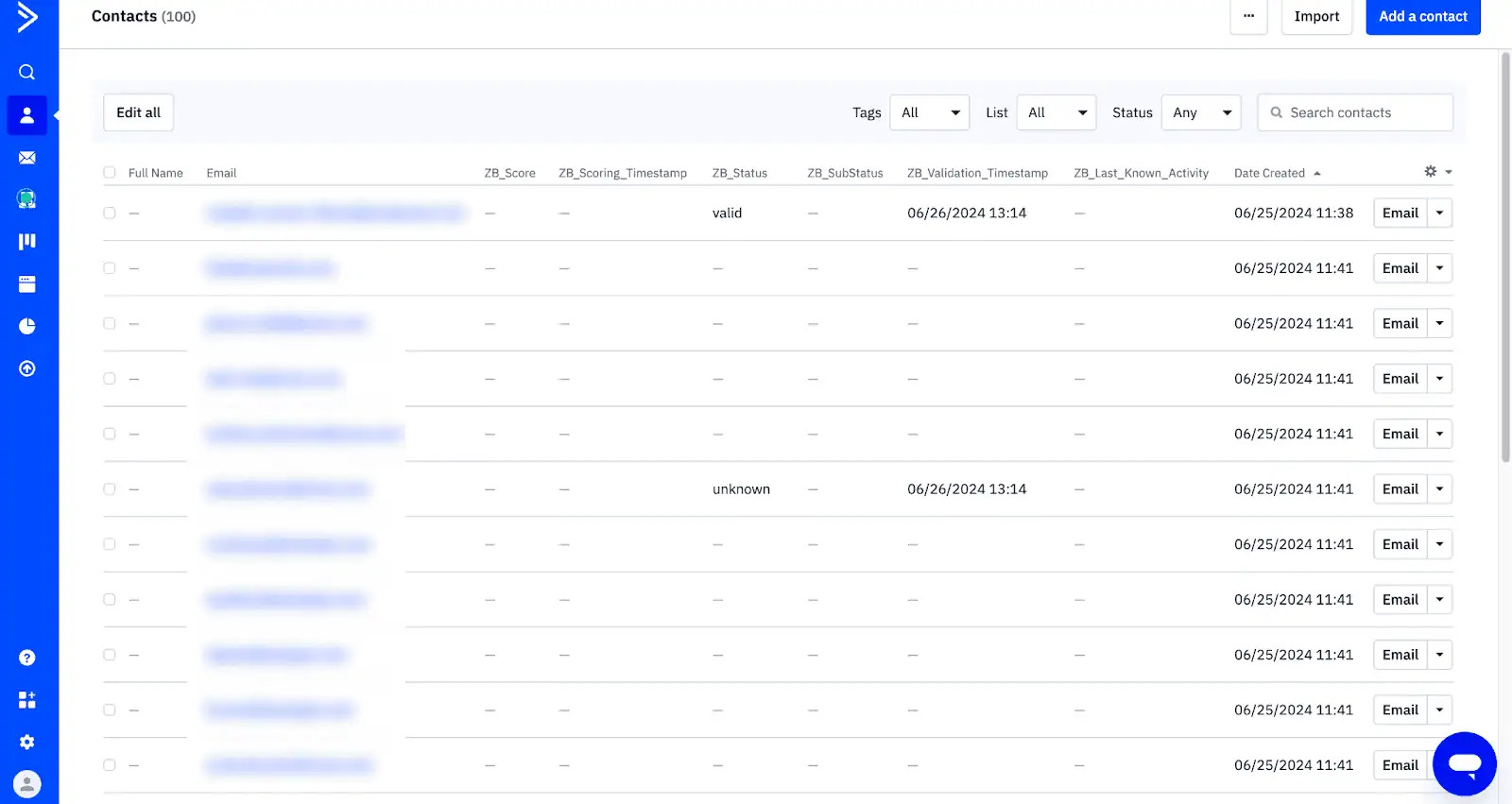
Essential tags for maintaining up-to-date and accurate contact information
Step 11:
Results Mapping simplifies data management by allowing you to customize the names of validation or scoring result fields/tags when exporting to integrations, ensuring consistency.
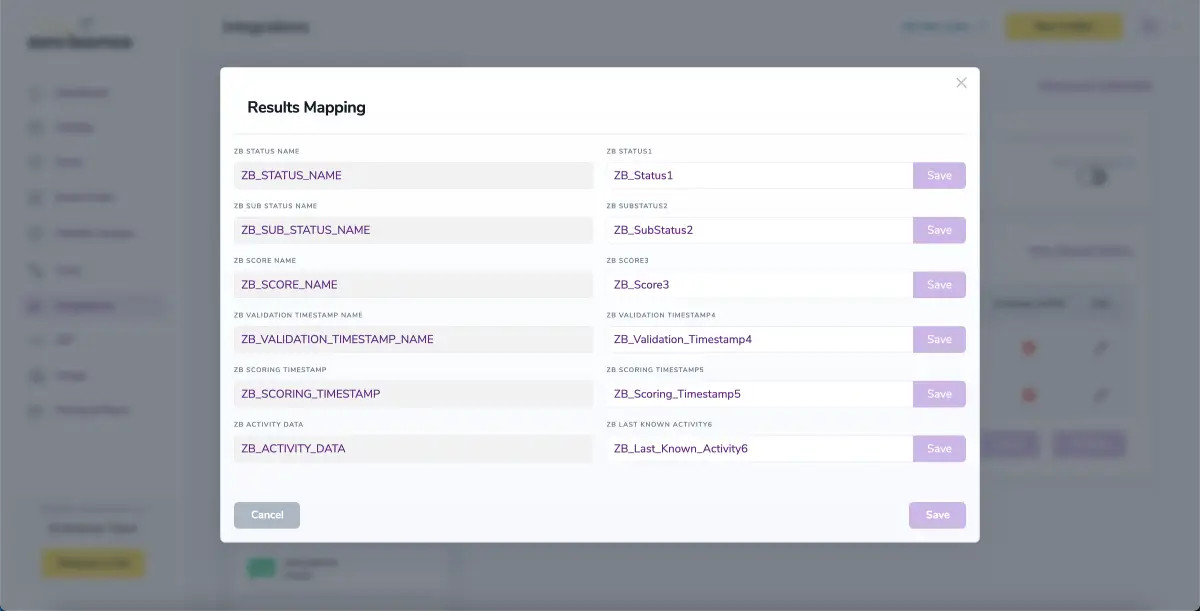
Results Mapping window
NOTE:
There is also the possibility to share your contacts between integrations, schedule scoring and validation or monitor your contacts to validate any new contact automatically. To learn more about this, check out this dedicated page: Integrations Contacts Monitoring, Scheduling and Sharing.
For more information about ActiveCampaign please visit www.activecampaign.com.
