
Docs
Docs
Lenders - to protect your email database, you need to validate the email addresses provided by customers during the loan application process.
The ZeroBounce email validationⓘ integration allows you to automatically validate and verify any email address submitted on a customer’s loan application. This feature helps you avoid hard bounces, protects your company’s email deliverabilityⓘ, and makes it easier to contact genuine customers.
Whenever a customer submits their application, Infinity will ping the ZeroBounce API to validate the provided email address.
For valid email addresses - The loan application will be submitted successfully without any additional error messages.
For invalid email addresses - The email status will appear as one of the following: invalid, catch-all, spam trap, abuse, do_not_mail, or unknown.
ZeroBounce will also provide customers with a suggested fix, when possible, via a ‘Did you mean’ error message.
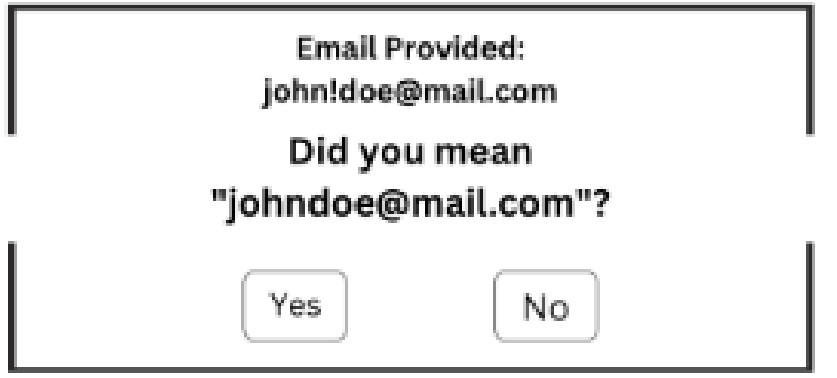
The ‘Did you mean’ error response featured in the ZeroBounce Infinity integration
Customers can choose to update their email address to be validated once more. If they choose not to, the application will continue, and the email will be marked with the appropriate status.
If there is no suggested fix, the customer will be notified that their email couldn’t be verified.
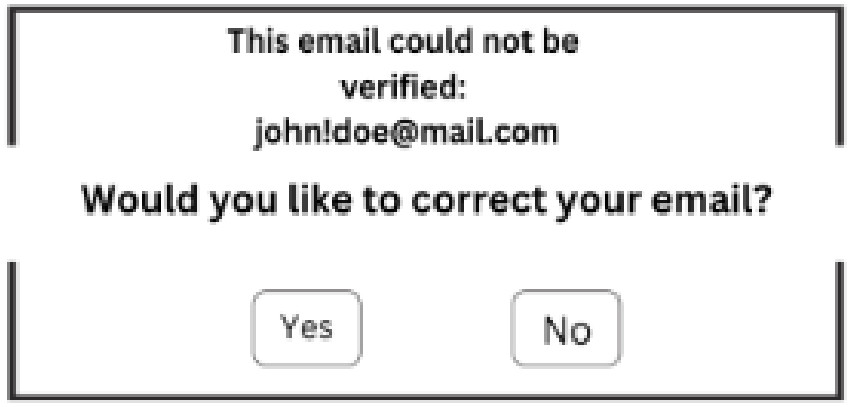
Users will be prompted to correct their email if it’s unverified
They will have an opportunity to change their address or continue with the application process. The email address will be marked with the appropriate status.
Prerequisites
Step 1:
Go to https://www.zerobounce.net/members/signin and sign in to your ZeroBounce account.
From here, click on API
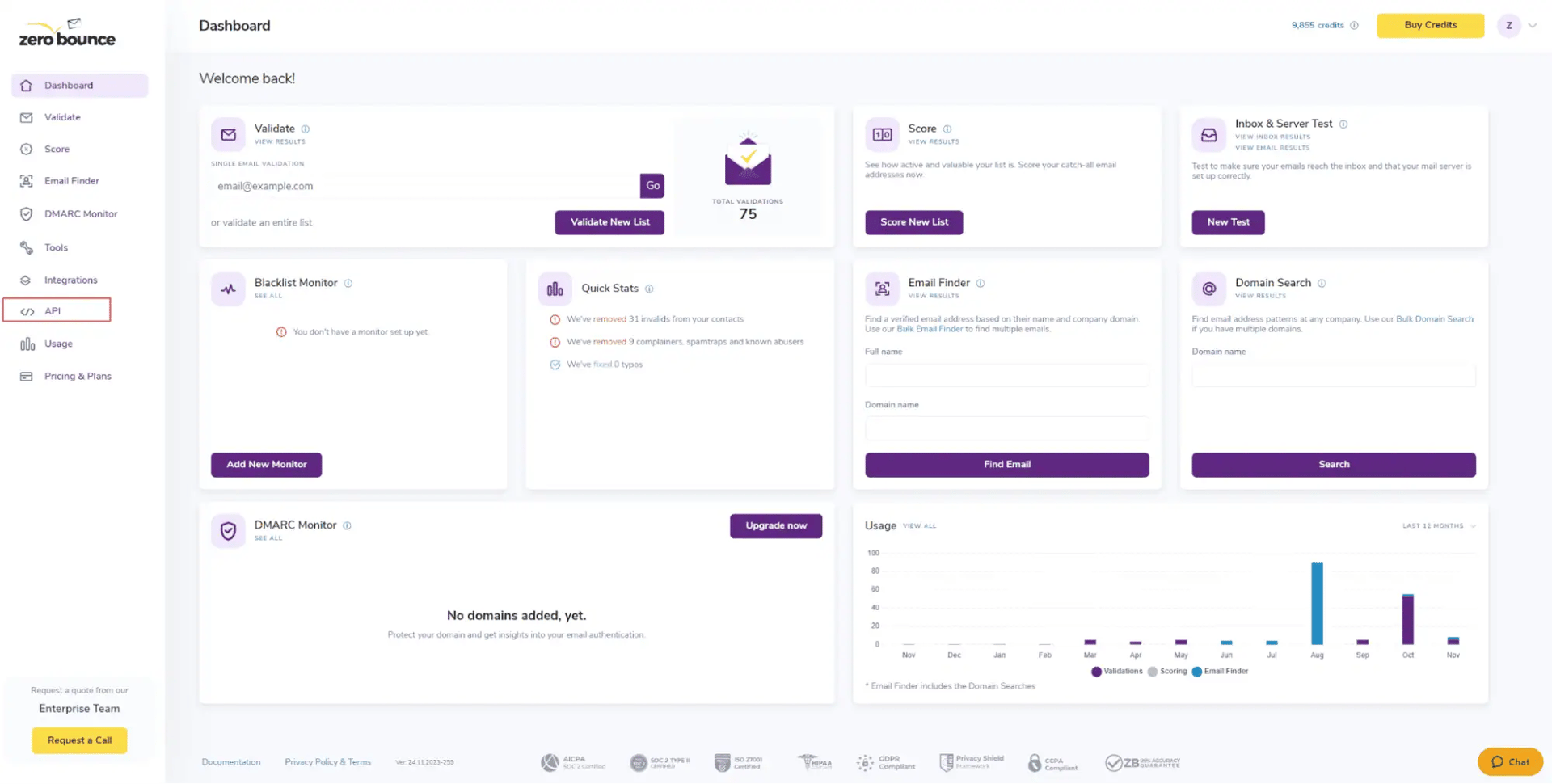
You can retrieve your API key from the ZeroBounce dashboard
Step 2:
At the top of the page, locate your ZeroBounce API key. Copy this for later use.
If you’d like to create a new API key for the Infinity integration, click Create a New API Key. Then, name your API key accordingly and click Create New Key.
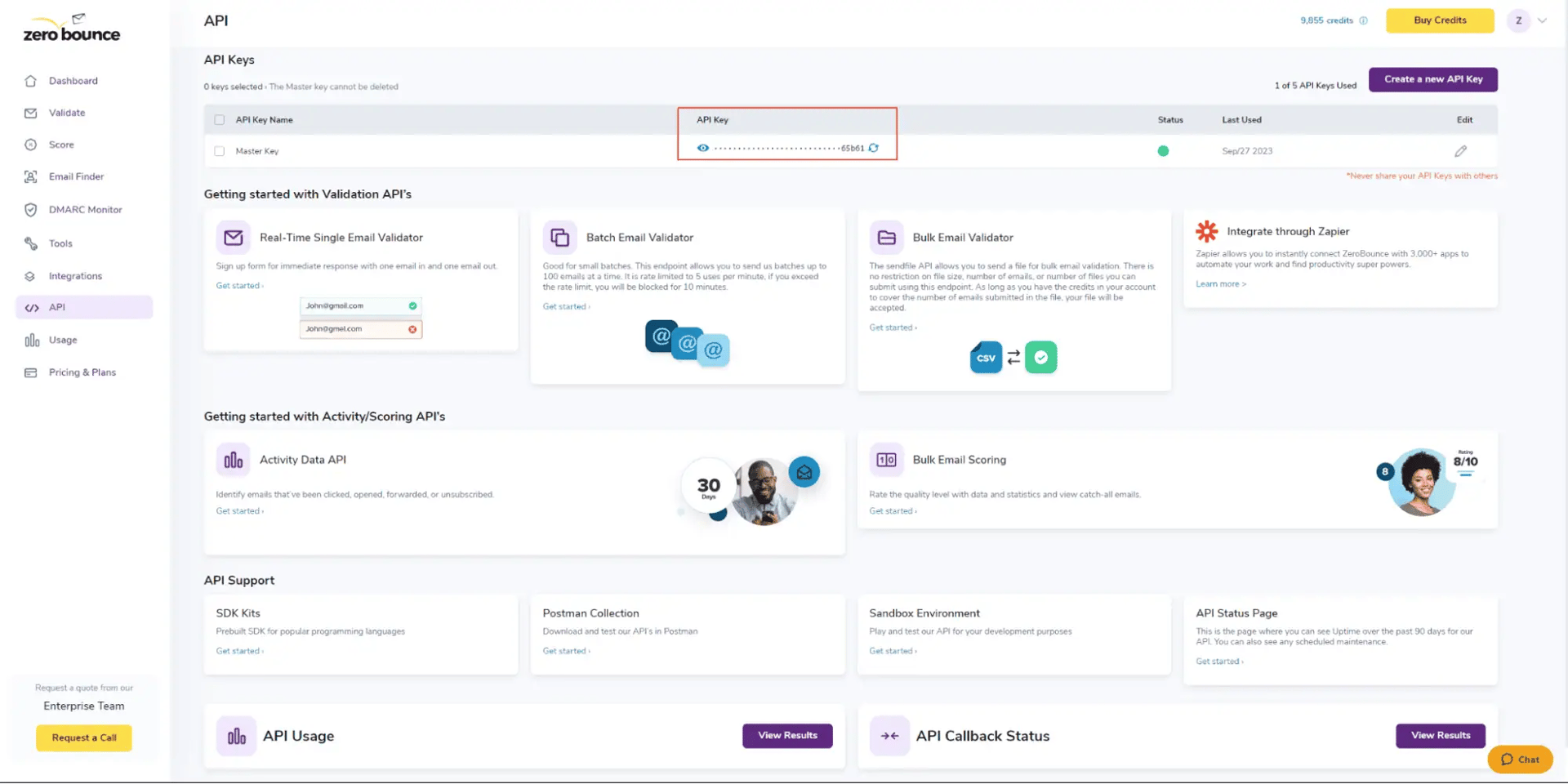
Copy your master API key or create a new one
Step 3:
With your ZeroBounce API key, navigate to your Infinity Customer Site Settings, where you wish to enable email validationⓘ. You can find this by following the path below:
Settings > Customer Site Settings > New Customer
Here, you’ll find a new setting for ZeroBounce Email Validationⓘ directly beneath the existing ‘Duplicate Email’ field.
With your ZeroBounce API key, navigate to your Infinity Customer Site Settings, where you wish to enable email validationⓘ. You can find this by following the path below:
![ZeroBounce ,[object Object], API key field within the Infinity Customer Site settings](https://www.zerobounce.net/cdn-cgi/image/fit=scale-down,format=auto,quality=90,width=1920,metadata=none/docs/assets_next_docs/docs/api-integrations/infinity-integration/infinity-integration-5.webp)
Add your ZeroBounce API key to the customer site settings
Step 4:
Enter your ZeroBounce API key into the field. Then, check the ‘Allow’ box to enable the integration.
When the ‘Allow’ box is checked, email validationⓘ will be enabled on new customer loan applications.
If the ‘Allow’ box is not checked, email validationⓘ is disabled.
If you need assistance with setting up the ZeroBounce Infinity integration, please contact the customer support team, which is available 24/7.
