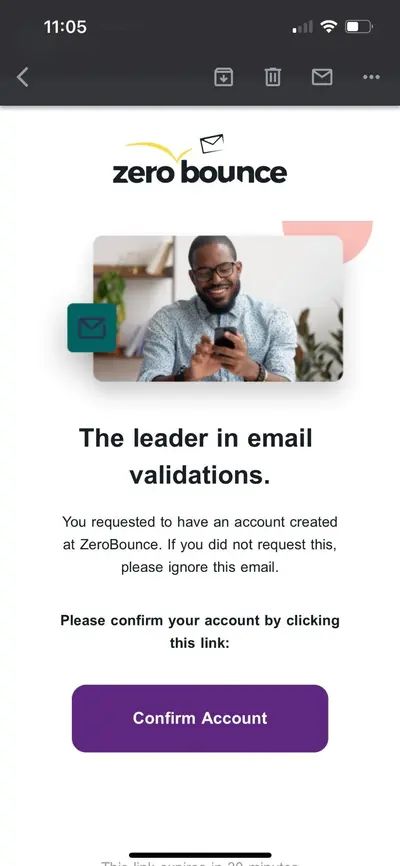
When registering for your new ZeroBounce account, you will receive an automated email with a confirmation link. Be sure to check your inbox when receiving the notification, and follow the link inside the email.
After clicking the Confirm Account button, you’ll be automatically redirected to the ZeroBounce sign in screen. You can now use your email address and password to sign in to your new account.
I confirmed my email address, but I can’t sign in
If you are unable to sign in to ZeroBounce after confirming your email address, please try the following actions:
Reattempt registration - Though rare, it’s possible that there was an error in confirming your account. Please try to register for your free account again.
Contact support - If the above does not work or you’re notified that an account is already tied to your email address, please contact our support team. We’ll assist with any account-related issue or question 24/7 by phone or live chat.
I didn’t receive my account confirmation email
If you did not automatically receive your account confirmation email, please follow these troubleshooting steps.
Wait several minutes for delivery - You should expect to receive your account confirmation email instantly. However, please allow several minutes if there is any delay or slowdown in the delivery process.
Check your other email folders - If you have not received the confirmation email, be sure to check all folders in your email account (Spam, Promotions, Social) in case it is accidentally redirected to the wrong folder. Additionally, double-check that you did not mistakenly delete the email when reviewing your email inbox.
Double-check for misspellings - If you cannot locate the account confirmation email, it’s possible that there was a misspelling or typo when entering your email address during registration. Please retry registration and verify that your email address is correct.
Check your spam filters - Native or custom spam filter settings may cause some email service providers to reject the confirmation email automatically. Please contact our customer support team if you require assistance checking and managing your email spam filters. We’re available 24/7 and can assist in resolving your registration issue.