ZeroBounce Logo

Docs

Language Icon
  • Sign In
  • Sign Up Free

Languages

ZeroBounce ImageGetting Started
ZeroBounce ImageEmail List Validation
ZeroBounce ImageA.I. Email Scoring
ZeroBounce ImageEmail Finder
ZeroBounce ImageDomain Search
ZeroBounce ImageActivity Data
ZeroBounce ImageMulti-file upload
ZeroBounce ImageIntegrations
ZeroBounce ImageUsage Reports
ZeroBounce ImageYour ZeroBounce Account
ZeroBounce ImageEmail Validation API
ZeroBounce ImageEmail Finder API
ZeroBounce ImageDomain Search API
ZeroBounce ImageA.I. Scoring API
ZeroBounce ImageActivity Data API
ZeroBounce ImageList Evaluator API
ZeroBounce ImageApi Dashboard
ZeroBounce ImageAPI Wrappers
ZeroBounce ImageAPI Migration
ZeroBounce ImageFAQ
ZeroBounce ImageAccount
ZeroBounce ImageUnderstanding email verification
ZeroBounce ImageUnderstanding email finder
ZeroBounce ImageUploading Files
ZeroBounce ImageBilling and Payments
ZeroBounce ImageQuestions about our services
ZeroBounce ImageData security and privacy
ZeroBounce ImagePotential Issues
ZeroBounce ImageWhy Is My File Taking So Long to Process?
ZeroBounce ImageWhy Do I Need a Password to Open My Processed File?
ZeroBounce ImageHow Do I Get a Password to Decrypt My File?
ZeroBounce ImageWhy Is My Overview PDF Report Blank?
ZeroBounce ImageWhy Are Some Emails Missing Data Append Features?
ZeroBounce ImageWhy Do I Get the Error “Unable to Expand” with Archive Utility?
ZeroBounce ImageWhere Can I Get Software to Open the CSV File?
ZeroBounce ImageWhy Is My Bounce Rate High After Email Cleaning?
ZeroBounce ImageWhy Can’t I Find My File on Windows?
ZeroBounce ImageWhy Is the CSV I Downloaded Incorrectly Formatted in Excel?
ZeroBounce ImageIntegration and compatibility
ZeroBounce ImageEmail finder and enhancement
ZeroBounce ImageTroubleshooting and support
ZeroBounce ImageUpdates and innovations
ZeroBounce ImageTutorials and guides
ZeroBounce ImageAPI FAQs
ZeroBounce ImageEmail Warmup FAQ
ZeroBounce ImageSecuring Your Account
ZeroBounce ImageAbout ZeroBounce
ZeroBounce ImageDeliverability Tools
ZeroBounce ImageStatus Page
  • Email Validation Homepage
  • Separator
  • Docs
  • Separator
  • Frequently Asked Questions
  • Separator
  • Potential Issues
  • Separator
  • How Do I Get a Password to Decrypt My File?
Potential Issues

How Do I Get a Password to Decrypt My File?

You will automatically receive a password to decrypt your file via email after downloading your file. The password will be delivered to the email address associated with your account and should arrive soon after downloading your email validation results. Be aware that a new password will be sent to your address every time you download a results file (even if it's the same file).
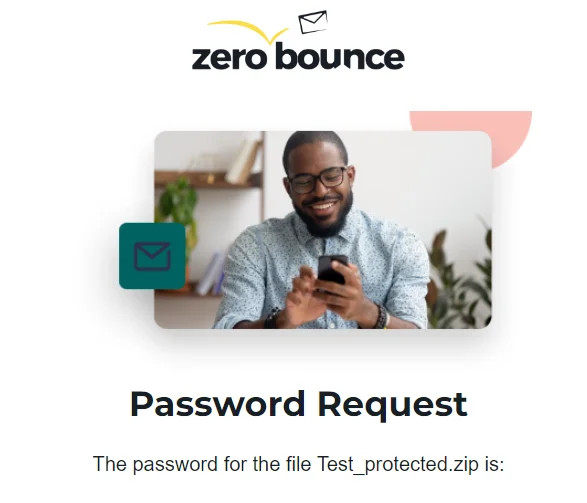
Example password request file received after downloading a file from ZeroBounce

ZeroBounce generates and delivers a unique password for each download for the security of your data. This process protects you from any scenarios in which someone gains access to your account or personal computer. Even if they are able to locate the results file, they cannot unzip it without the encryption key.

What do I do if I don't receive a password?

If, for any reason, you do not receive an email with your password, please retry downloading your file. Every time you download a file, a new password is generated and sent to your email address. You should always receive this automated email to decrypt your file.

If you encounter any issues with this process, please reach out to ZeroBounce support at support or contact the team 24/7 via live chat.

Can I bypass the need for a password to open my file?

You can turn off password-protected downloads via your ZeroBounce account settings. Sign in to your account and locate the toggle under Security Settings. After switching the toggle off, look for a follow-up email and click the confirmation link inside.

Be aware that turning off password-protected downloads leaves your email list data at unnecessary risk. If you need to turn it off for any reason temporarily, be sure to revisit your account settings and enable it as soon as possible. While there, ZeroBounce also recommends enabling two-factor authentication with Google and SMS for similar protections.

Related Articles

Why Is My File Taking So Long to Process?

Why do I need a password to open my processed file?

Why is my Overview PDF report blank?

Why are some emails missing append features?

Why do I get the error “unable to expand” with Archive Utility?

Where can I get software to open the CSV file?

Why is my bounce rate high after email cleaning?

Why can’t I find my file on Windows?

Why is the CSV I downloaded incorrectly formatted in Excel?